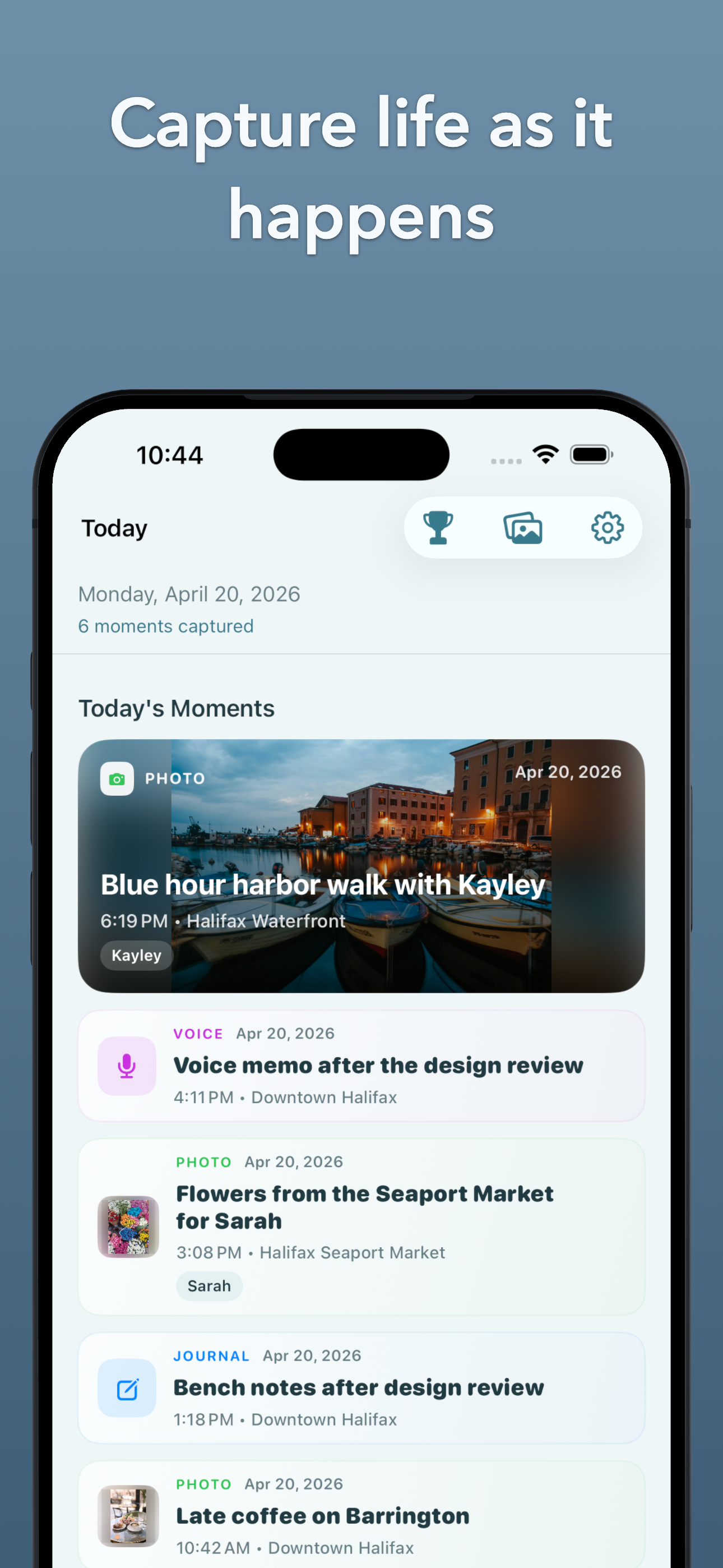
1. Capture a moment instantly
Write a quick note, save a photo, or speak from Apple Watch before the moment slips away.
Moments Later lets you capture a photo, a place, a thought, or something someone said — on iPhone or Apple Watch — then come back later to reflect, build a journal entry, see the context around the day, and unlock milestones as your memory gallery grows. Mac support is coming soon.

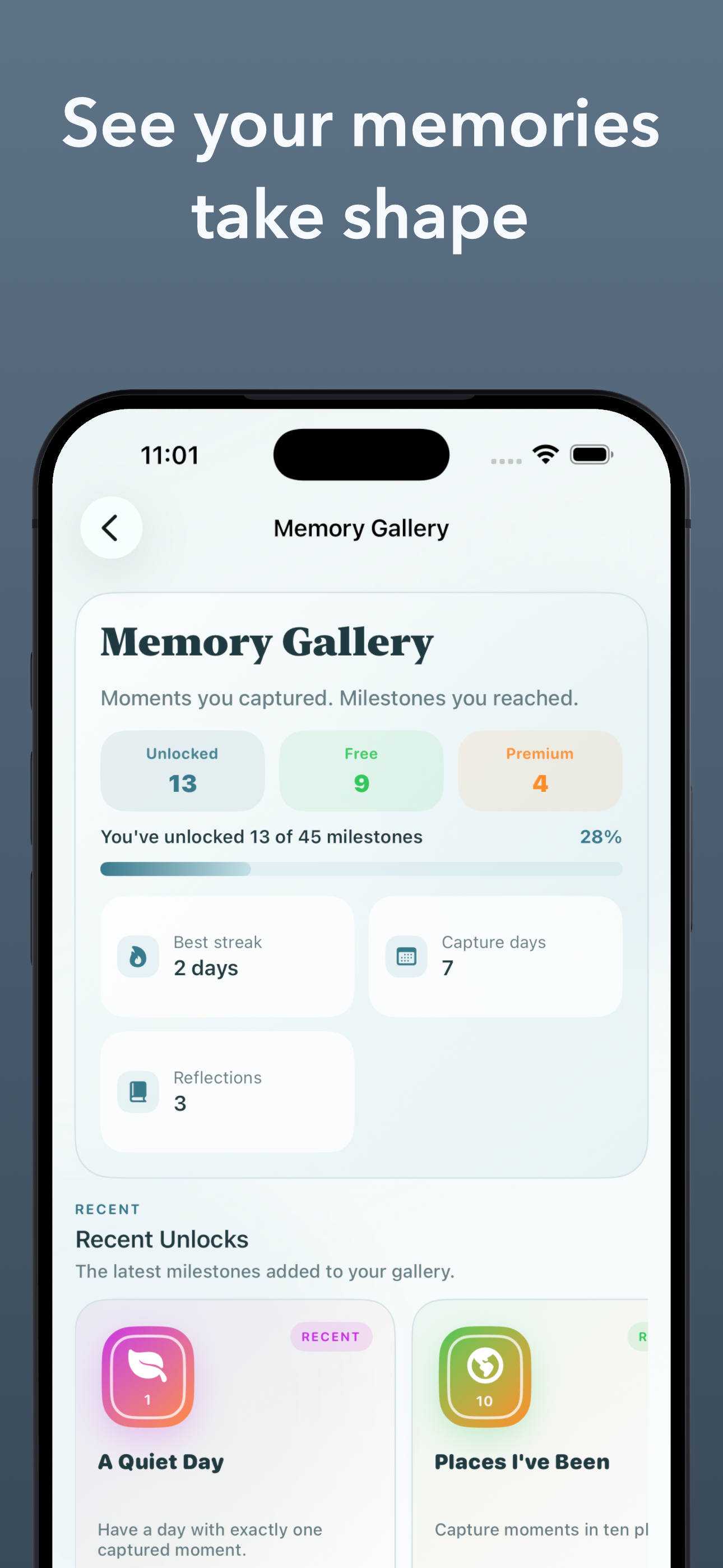
Moments Later helps you capture life as it happens, then come back to it later through journaling, timeline, richer day context, Memory Gallery milestones, and a calmer way to hold on to the moments that matter.
Write a quick line, save a photo, or log a moment from Apple Watch before it disappears.
Short captured moments can grow into a fuller journal entry when you finally have time to sit with the day.
Bring in details like weather, health, music, people, and place so memories feel grounded in what the day was really like.
Browse your timeline and go back to the moments worth remembering instead of letting them disappear into the blur.
Unlock achievements and see your captured life take shape with free and premium milestones in the gallery.
You do not need to write a perfect journal entry in the moment. You only need enough to save it now so it is still there when you have a quiet minute tonight.
Write a quick note, save a photo, or speak from Apple Watch before the moment slips away.
When the day slows down, your saved moments give you something real to build from instead of a blank page.

Context like weather, people, music, health, and place helps you remember not just what happened, but what the day felt like.

The timeline makes it easy to move back through the moments you want to keep instead of losing them in the pace of life.

Integrated context means activities, workouts, weather, and other day signals can help the memory feel fuller without extra work from you.
As you keep capturing, the Memory Gallery unlocks milestones so the app reflects progress, streaks, and the shape of your lived life.
Tap the complication on your wrist. Speak. Done. Moments Later transcribes your voice and saves the moment instantly — no phone, no typing, no unlocking anything.
Premium is live in Moments Later now. It opens up more of the app on iPhone today, including richer day context and more of the long-term memory experience, and the same premium access will unlock on Mac when the Mac app arrives.
Premium helps the app carry more of the memory for you, with context like weather, location, health, music, people, and activity details that make the day easier to revisit later.
Premium also expands the Memory Gallery with more milestones, unlocks, and a stronger sense of progress as your captured life builds up over time.
Moments Later started with a wish — that there had been a way to capture more of what happened when my kids were small. The little things they said. The ordinary afternoons. Now they are grown and on their own, and some of those moments are just gone.
This app is the one that would have helped then. It is here now for anyone still in those years — or anyone who simply wants to hold on to what is happening today.
— Roger, Founder
Moments Later for Mac is on the way. It will bring the same calm experience to a larger screen, with premium access unlocking there too.
Bring your captured moments onto a larger screen for calmer review, richer journaling, and the same premium access you already have on iPhone.
The Mac app is on the way and is being shaped for calmer review, richer writing, and the same Moments Later experience on desktop.
Premium is available now on iPhone, and that same premium access will unlock on Mac when the Mac version ships.
MapleTrail Software is the brand behind Moments Later — focused on creating software that feels useful, human, calm, and enduring. The goal is not to turn memory into a productivity system. It is to help people keep more of everyday life.
Questions, feedback, partnerships, or interest in Moments Later can be sent directly by email. MapleTrail will reply with more information when available.
support@mapletrailsoftware.com